Riverside University5.56.4
Publisher Description
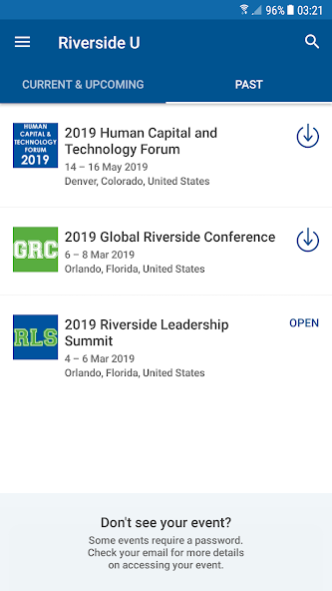
Riverside University is an ongoing education program comprised of in-person and web-based educational sessions.
Riverside University brings together a diverse community of executive management teams, board members, and Riverside employees to cultivate growth, share best practices, network strategically and expand skills.
About Riverside University
The company that develops Riverside University is The Riverside Company. The latest version released by its developer is 5.56.4.
To install Riverside University on your Android device, just click the green Continue To App button above to start the installation process. The app is listed on our website since 2020-01-20 and was downloaded 3 times. We have already checked if the download link is safe, however for your own protection we recommend that you scan the downloaded app with your antivirus. Your antivirus may detect the Riverside University as malware as malware if the download link to com.crowdcompass.appWjOGcDX53Z is broken.
How to install Riverside University on your Android device:
- Click on the Continue To App button on our website. This will redirect you to Google Play.
- Once the Riverside University is shown in the Google Play listing of your Android device, you can start its download and installation. Tap on the Install button located below the search bar and to the right of the app icon.
- A pop-up window with the permissions required by Riverside University will be shown. Click on Accept to continue the process.
- Riverside University will be downloaded onto your device, displaying a progress. Once the download completes, the installation will start and you'll get a notification after the installation is finished.
Program Details
System requirements
Download information
Pricing
Version History
version 5.56.4
posted on 2020-01-20
-Session polls become available after the session starts.
-Profile editing is now conveniently located in the Profile tab menu.
-All of your appointments, sent or received, will now appear on the appointments list.
version 5.40
posted on 2019-02-05
Here’s what we changed in our last release:
-We fixed an issue we saw with push notifications not showing up.
-The entire attendee list loads immediately, even for large events!
-If you try to register for a session not included with your admission item, an error message will appear.
-We fixed an issue with default avatars appearing blank.
-The app directory now has more translations!
-Bug fixes and enhancements to improve the overall attendee app experience.
version 5.23.01
posted on 2018-02-08
New content updated
